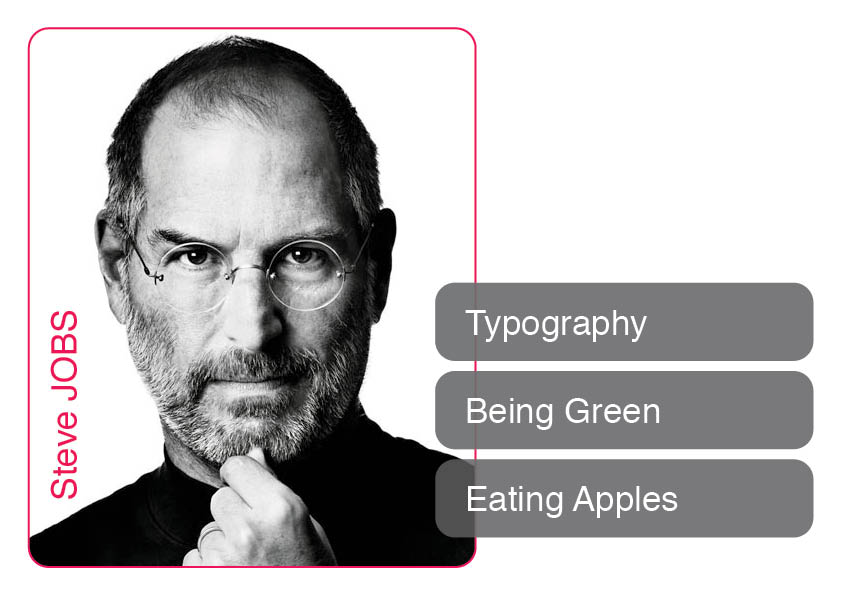
Right-Click and Save-As:
Template Masters Personals Layout (Adobe CS3 InDesign Exchange File)
Live Update of Profiles of Master Students
Live Update of Profiles of Master Students (High Quality)
A1 Poster Print 2010 Q1-Q2 of all Master Profiles
A1 Poster Print 2010 Q1-Q2 of all Master Profiles (with border)
A1 Poster Print 2010 Q1-Q2 of all Master Semesters (with border)
Using the Layout:
| 1. Choose your Photo, edit this with Photoshop: make this Black and White, play with the curves until you get the same effect as Steve. Keep in mind that your name will be on the Lefthand-side, so a light/white background (on that side) will give a better effect. 2. Save your photo. 3. Open the .INX in InDesign. 4. Ignore the Font Subsitution Error. 5. Select your big friend Steve and Place your photo by clicking menu "File" "Place": |
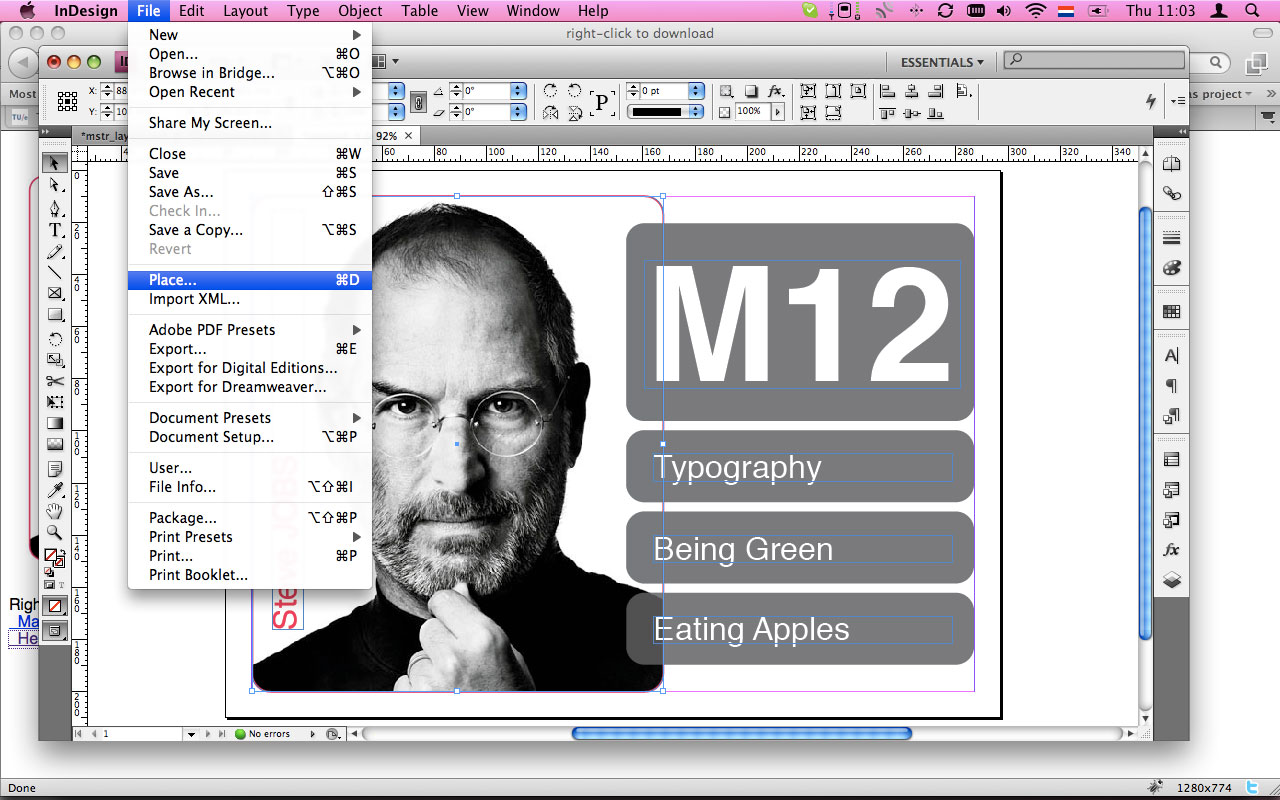 |
| 6. Use the white cursor aka "Direct Selection Tool (shortcut A)" and select your photo. This should give it a red border. Resize your photo to fit in the rounded mask: | 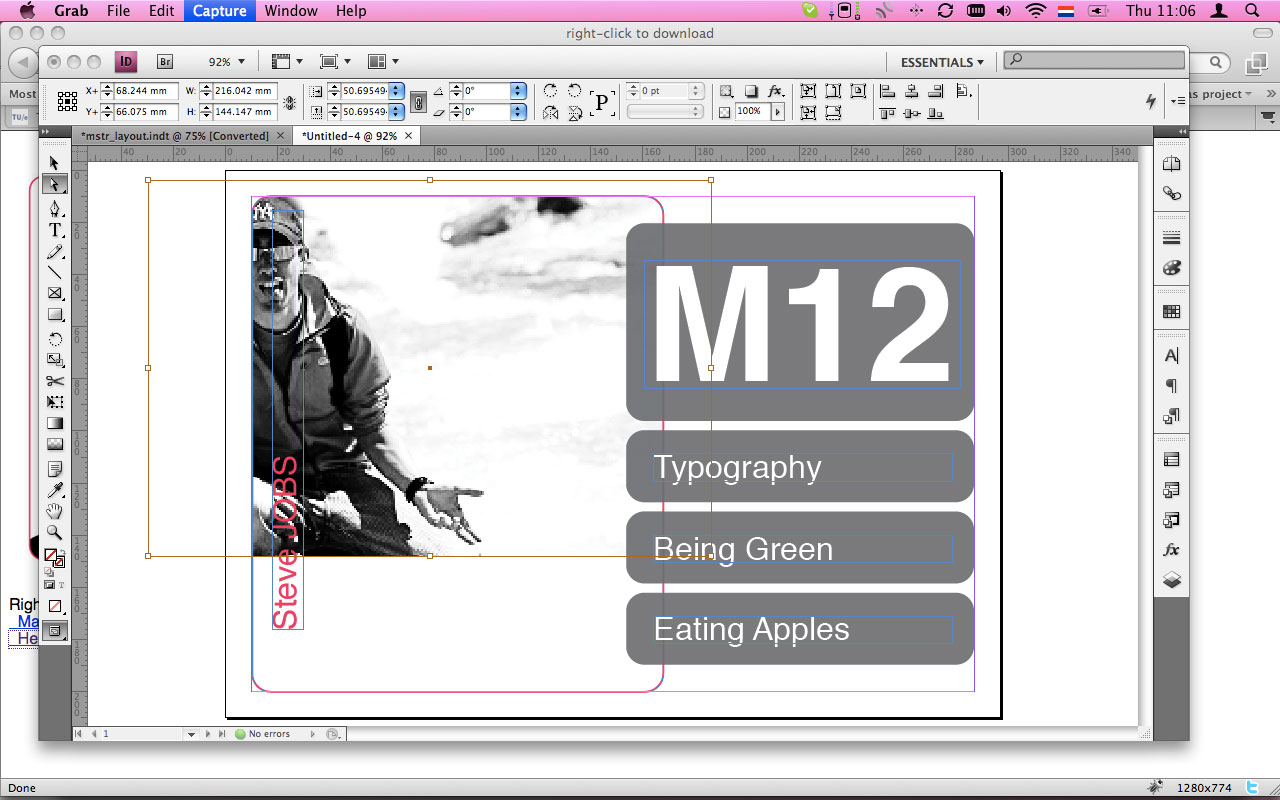 |
| 7. Edit name (Surname in CAPITALS), and Expertise Text Fields (Semester is not needed anymore): | 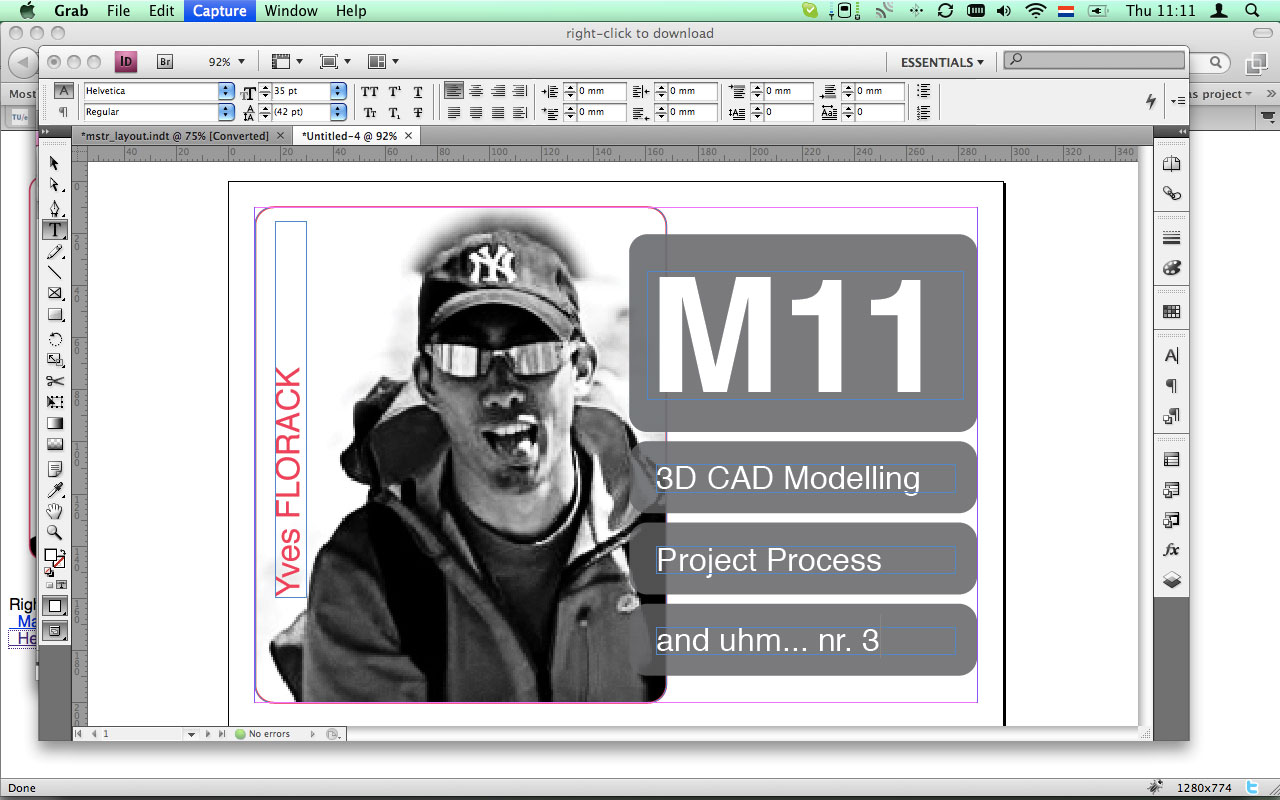 |
| 8. Preview your ID Profile: | 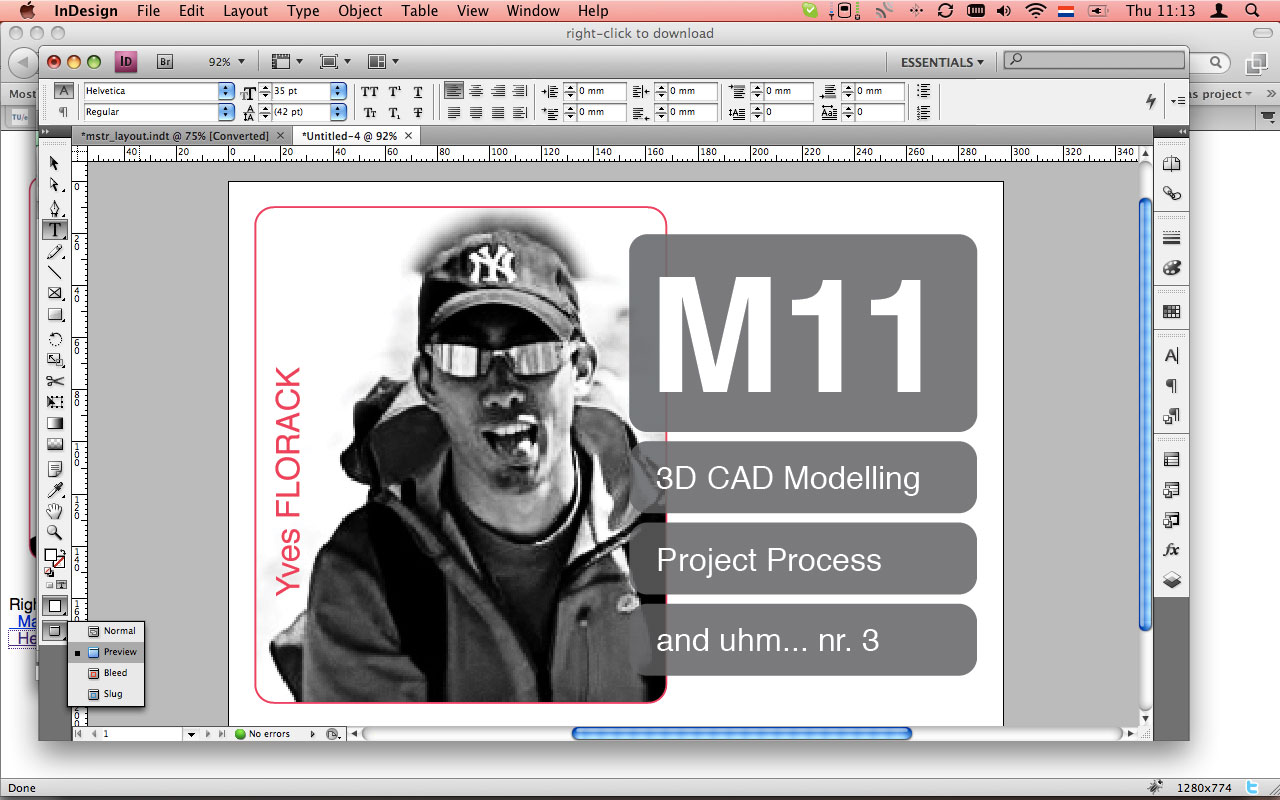 |
| 9. Adjust it until a satisfied sensation is felt. You may/can slightly play around with the vertical positioning of your name. 10. Embed your linked Photo; menu "Window" "Links", select and right-click picture-link in the Links window and "Embed Link". Save your Profile and name it as such: Semester_LASTNAME_Firstname.indd (eg: M11_FLORACK_Yves.indd ) |
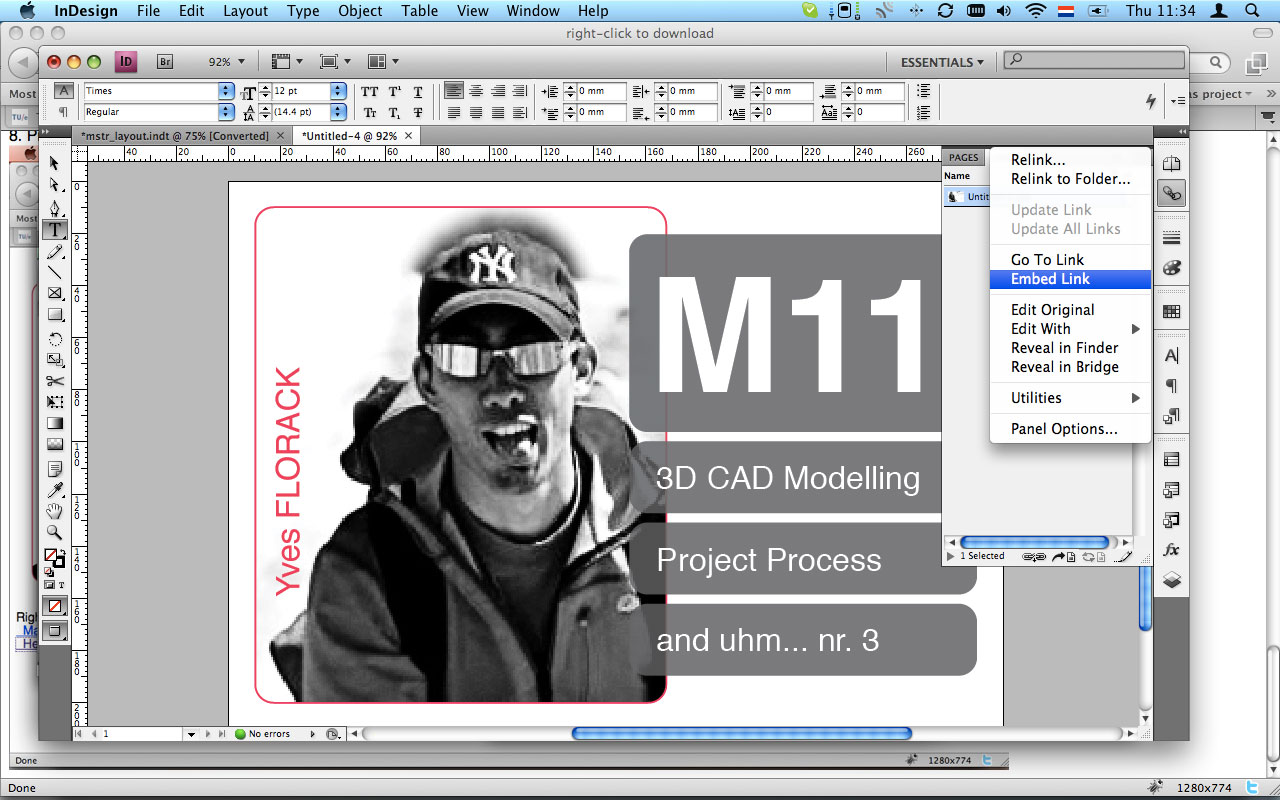 |
| 11. Email it to idmprofilewall@gmail.com |